These instructions are for changing the cleaning chamber resistivity sensor in ABC-2500 machines where the sensor is located in the spray loop:
- Power Off the machine.
- Open the Operator Interface panel to gain access to the front Electrical Panel.
- Locate the Chamber Resistivity Board (RESIST403) at the top right of the panel.
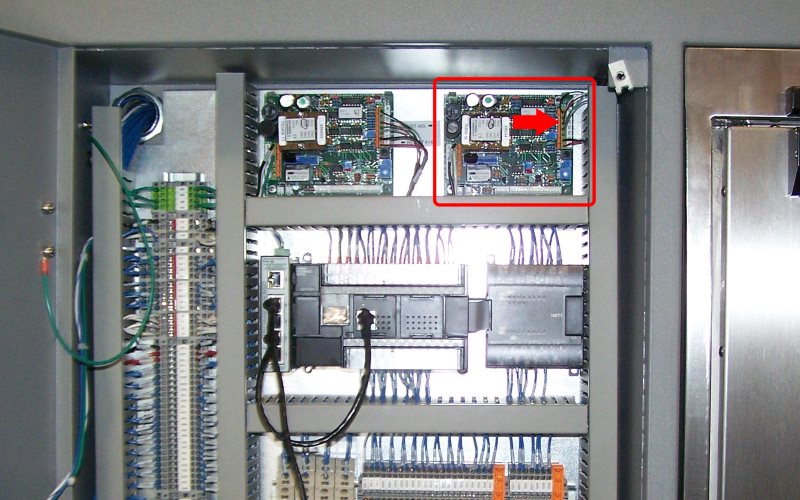
- Remove the sensor wires from the terminal block. To release each wire press on the orange lever while gently pulling on the wire.
- Remove the rear panels to gain access to the spray loop and the resistivity sensor.
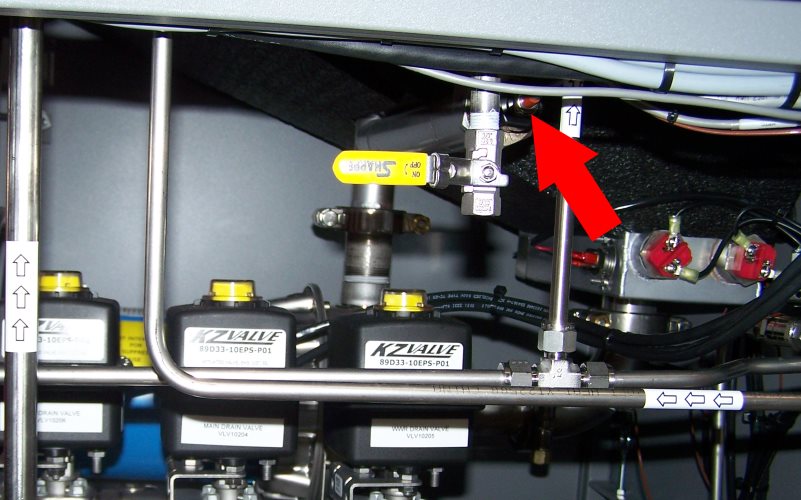
- Unscrew the black compression nut and remove the sensor.
- The sensor cable can now be removed from the machine.
- Insert the new sensor into the fitting and tighten the compression nut.
- Route the new sensor cable to the front Electrical Panel.
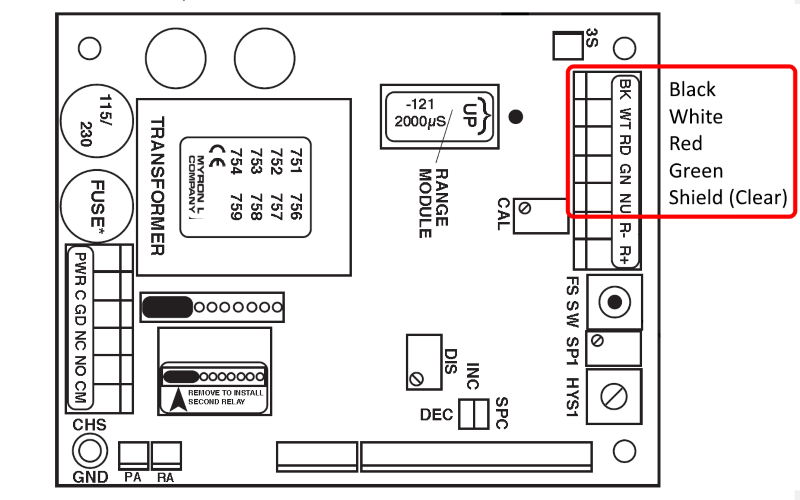
- Insert the sensor wires into the Resistivity Board. The terminal block is labeled with the wire colors. Press down the orange lever and insert the wire.
- Replace the machine panels.
- Power On the machine.
- Run a test cycle and check the sensor operation.