These instructions are for replacing the cleaning chamber overfill sensor in ABC-2500 machines with the new style sensor. The new sensor is a white polypropylene sensor with a stainless steel mounting bracket which mounts in place of the original gray sensor.
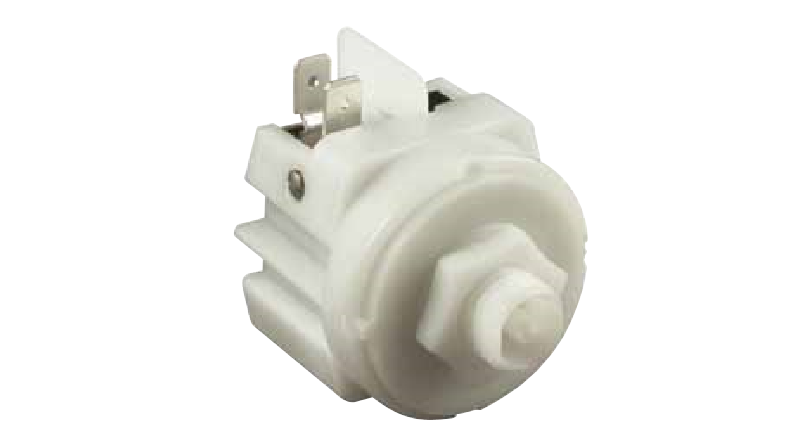
- Power Off the machine.
- Remove the panel under the cleaning chamber door and locate the original overfill sensor.
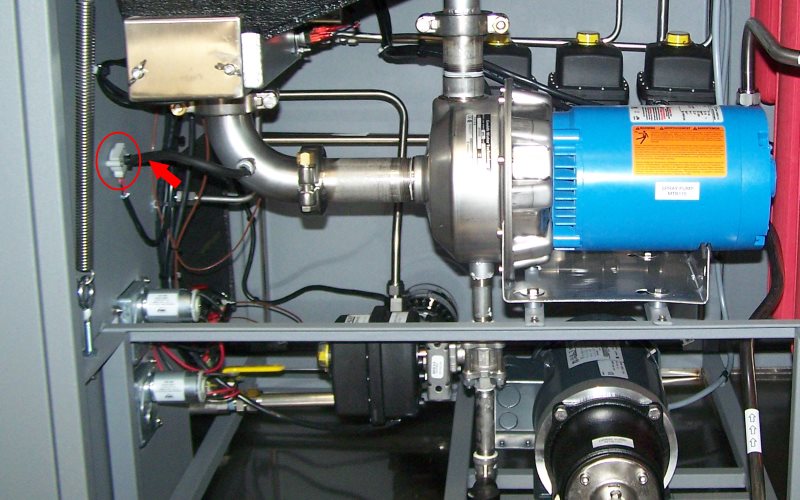
- Remove the black tubing from the sensor. Leave the other end of the tubing attached to the spray pump inlet piping.
- Remove the wiring connection by pulling gently on the spade connectors.
- Remove the sensor mounting screws. Retain the hardware for mounting the new sensor.
- Mount the new sensor bracket using the original sensor mounting holes and hardware.
- Attach the tubing to the central connection of the new sensor.
- Attach the red wire to the COM connection on the new sensor.
- Attach the black wire to the NO connection on the new sensor.

- Replace the machine exterior panel.
- Power On the machine.
- Run a test cleaning cycle to check the new sensor operation.